Overview
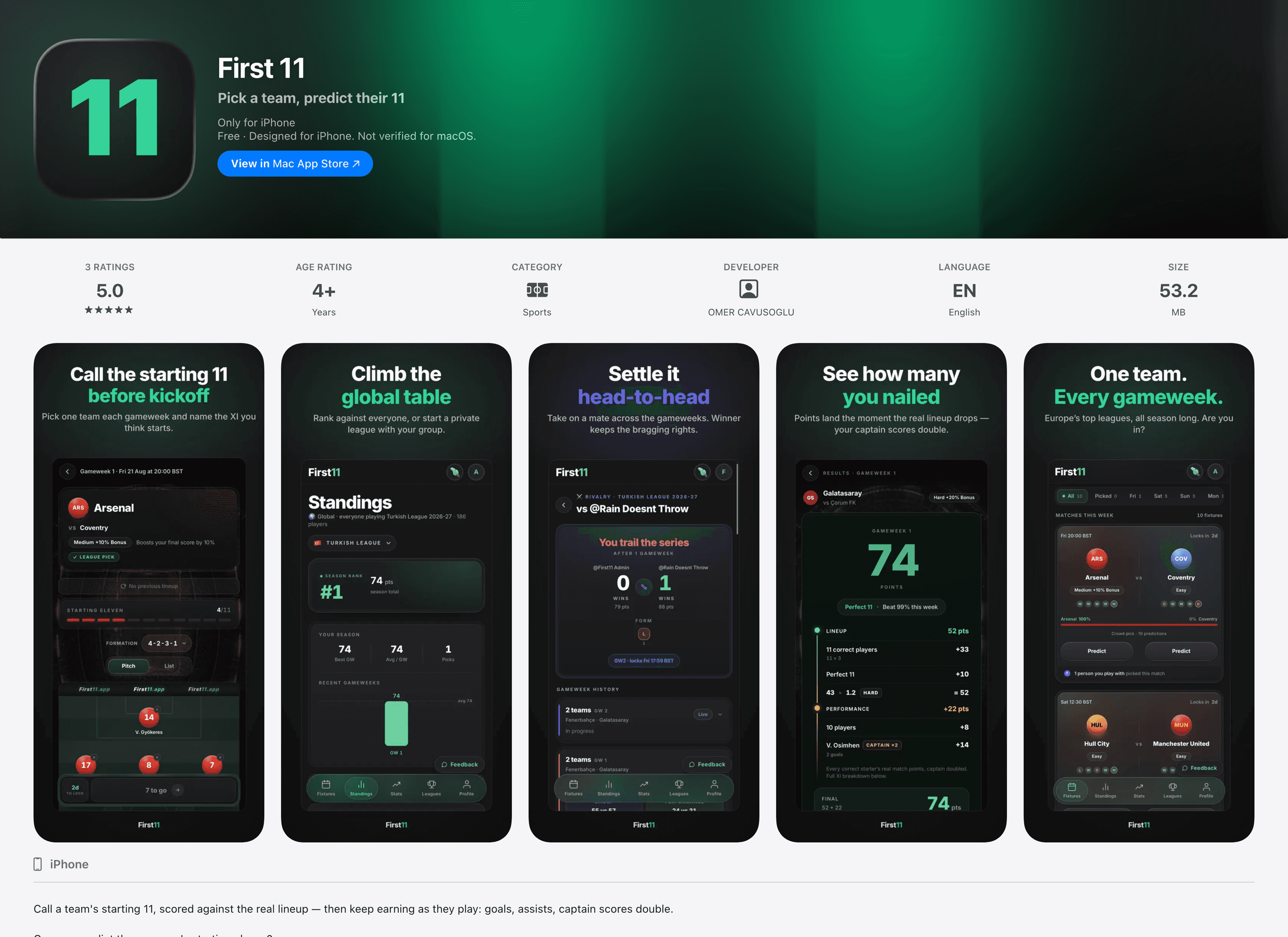
First 11 is a football prediction game with one rule. Every gameweek you pick one team and predict their exact starting eleven.
You score twice: once when the real teamsheet arrives an hour before kickoff, and again at full-time, when your players earn performance points.
It is live on the App Store and on the web, in English and Turkish, across six European leagues.
Why I built it
Every fan thinks they can pick the manager’s eleven. Nobody had made it a game.
This project started with me, not a brief. I wanted to find out how far AI could take a real product — not a demo or a weekend prototype, but something designed, built and shipped to a real app store, with real users. And I wanted to finally make the app I had been talking about for years.
I have watched football all my life, and I play Fantasy Premier League with friends every season. I enjoy it, but it asks a lot of you: squads, budgets, transfers, price changes.
There is an older and simpler game that every fan already plays. It is the argument before kickoff and the groan during the match: “He should have started him.” “Why is he on the bench?”
So that is what I built. You pick one team, try to name their exact starting eleven, and find out an hour before kickoff whether you read the manager right. I designed and shipped it alone, with AI as the engineer — which changed what my job actually was, from drawing screens to defining the rules.
The process
Defining the rules and the points
This was the real design work. With AI writing the code, my job was to decide what the game actually is: one pick per gameweek, one team, eleven names, locked ninety minutes before kickoff. Everything else follows from how that single decision is scored.
Points come in three layers. Every correct starter is worth three points, with bonuses at nine, ten and eleven correct. A rotation bonus rewards the brave calls: a player is worth four points minus the number of starts he made in his team’s last five games. A regular starter adds nothing; a fringe player adds four, if you get him right. Then at full-time a performance layer adds what your eleven actually did — goals, assists, clean sheets and minutes played — with your captain’s score doubled.
The difficulty multiplier is based on data, not opinion. I measured how often every club changes its eleven — the average number of starters swapped between two matches in a row — across a full season in all six leagues. That is a little over two thousand games and 114 clubs, each rated ×1.0, ×1.1 or ×1.2. Chelsea changed 3.27 players a match and are hard to read. Everton changed 1.57 and should not pay the same.
A weekly job updates those ratings during the season. It never re-rates a team while a pick on it is still waiting to be scored, so the difficulty you saw when you picked is the one you are scored on. I sized the rotation bonus the same way, against real start rates, with one rule: a gamble should always be tempting, but never the best option.
Lineup score
Locked at kickoff- Each correct player
- +3 pts
- 9 correct picks
- +2 pts
- 10 correct picks
- +4 pts
- 11 correct · Perfect 11
- +10 pts
Performance score
Added at full-time- Goal
- +5 / +4 / +3
- Assist
- +2 pts
- Clean sheet · 60+ min
- +3 / +1
- Plays 60+ minutes
- +1 pt
×2 — your captain’s performance counts double.
Rotation bonus
The braver the call, the more it pays- Started 0 of 5
- +4 pts
- Started 1 of 5
- +3 pts
- Started 2 of 5
- +2 pts
- Started 3 of 5
- +1 pt
- Started 4–5 of 5
- No bonus
Difficulty multiplier
Sides that shuffle pay more- Easy
- No bonus
- Medium
- +10% bonus pts
- Hard
- +20% bonus pts
The fixture card
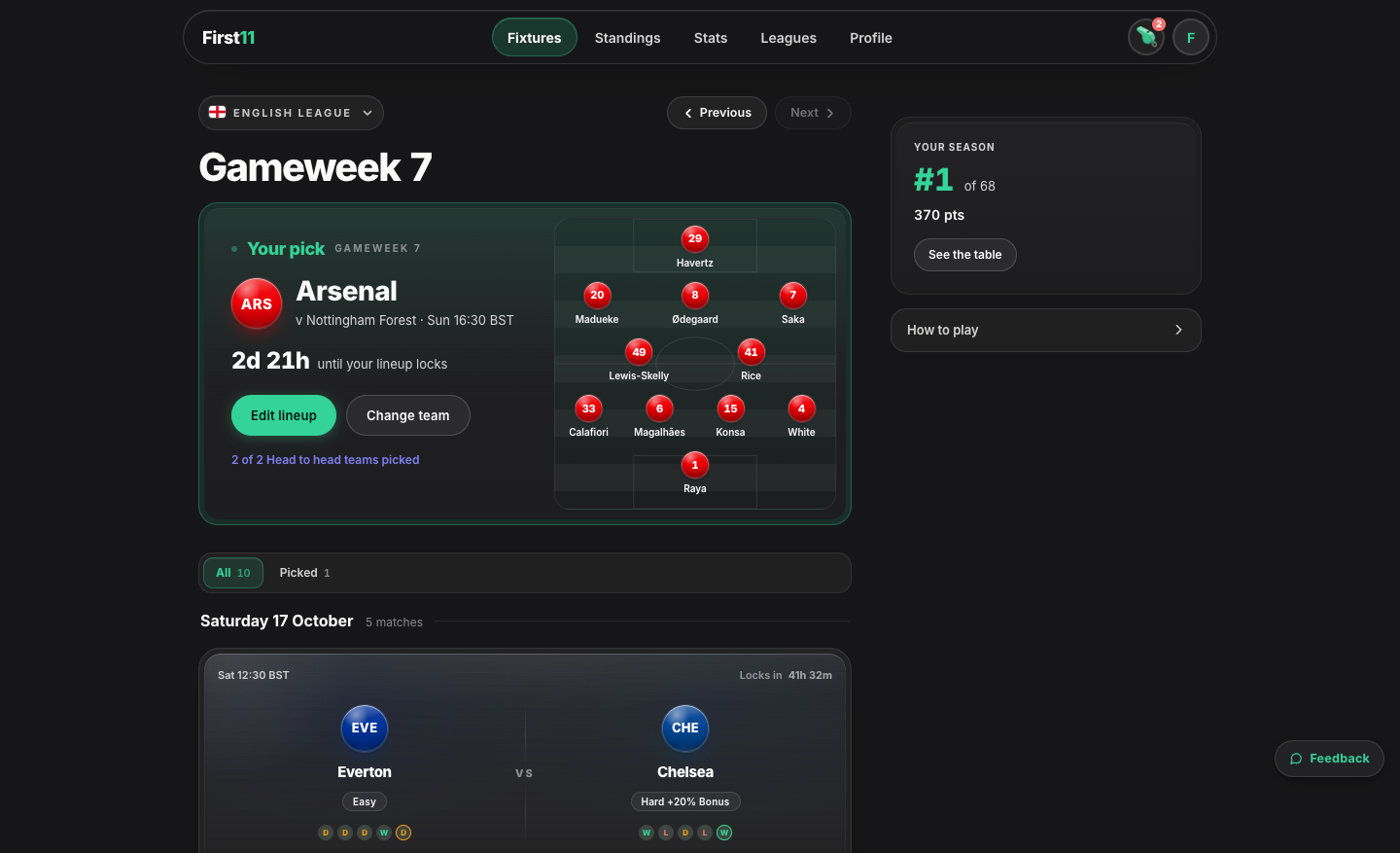
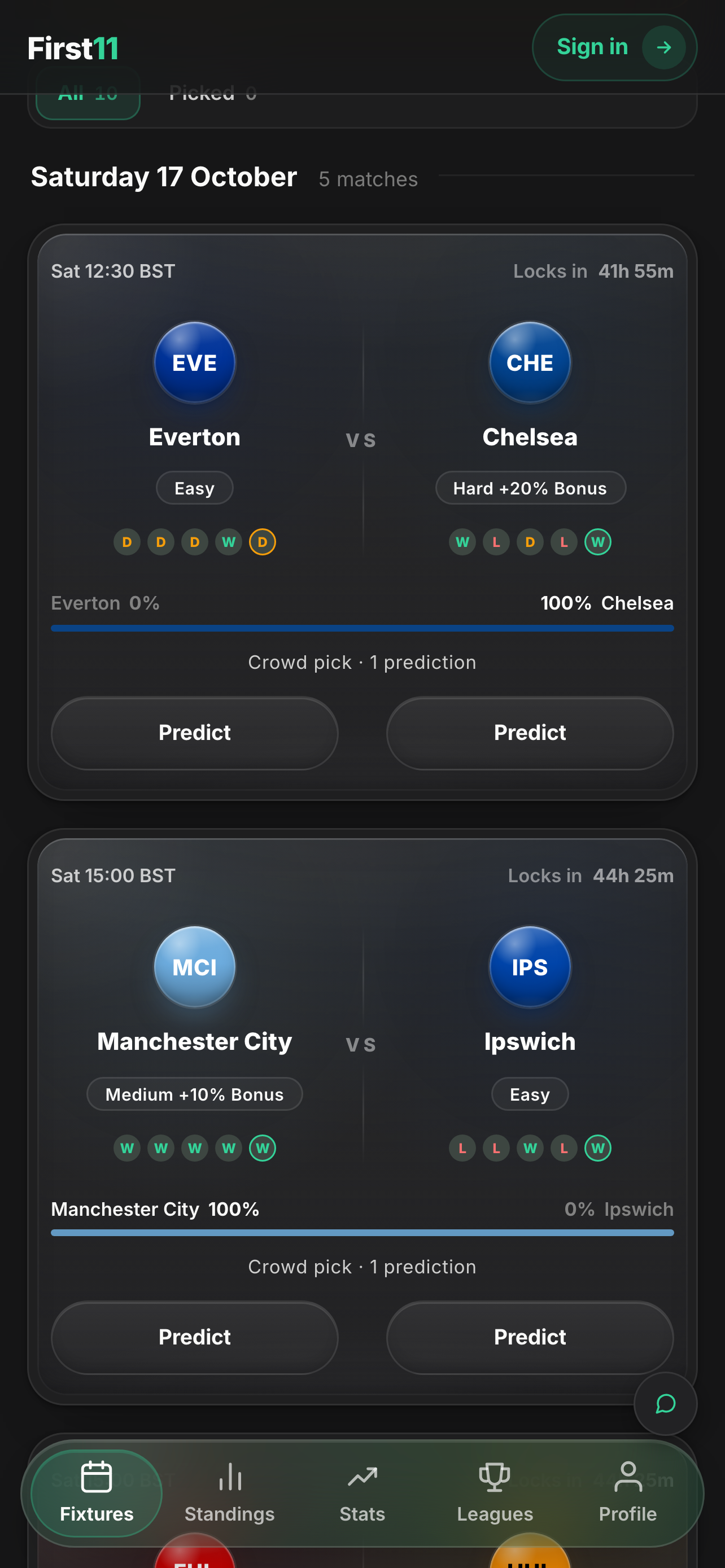
Most of the game happens before you choose a player, on a list of fixture cards. The card is the busiest object in the product, so everything on it has to earn its place.
A card shows both teams in their kit colours, a countdown to the lock instead of a kickoff time, the difficulty tag with its multiplier, recent form for both sides, how the crowd has picked, and who in your leagues has already played. The card then follows the match through the week: open, your pick, locked, live with the minute, and full-time with your points on it.
Two decisions I would defend. The difficulty tags used to be green, amber and red, but the colour only repeated what the number said and made every card shout, so it came out. And the crowd bar shows nothing until someone has picked, because “be the first to predict” is filler, and the empty space reads better.
Finished matches stay in the list but fade, so the ones you can still play stay in front.
Building the eleven
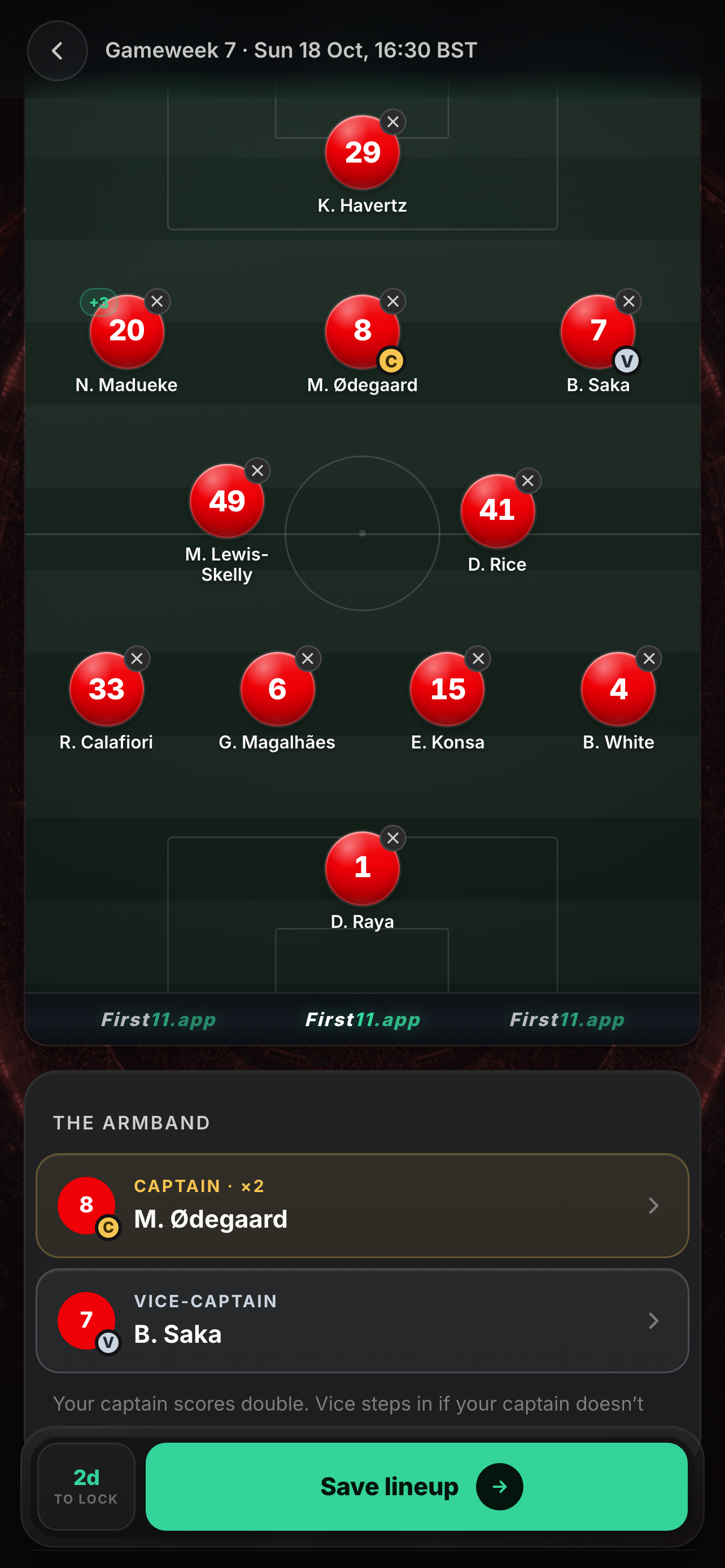
The lineup screen is where people spend most of their time, so it has to carry a lot of information without turning into a spreadsheet.
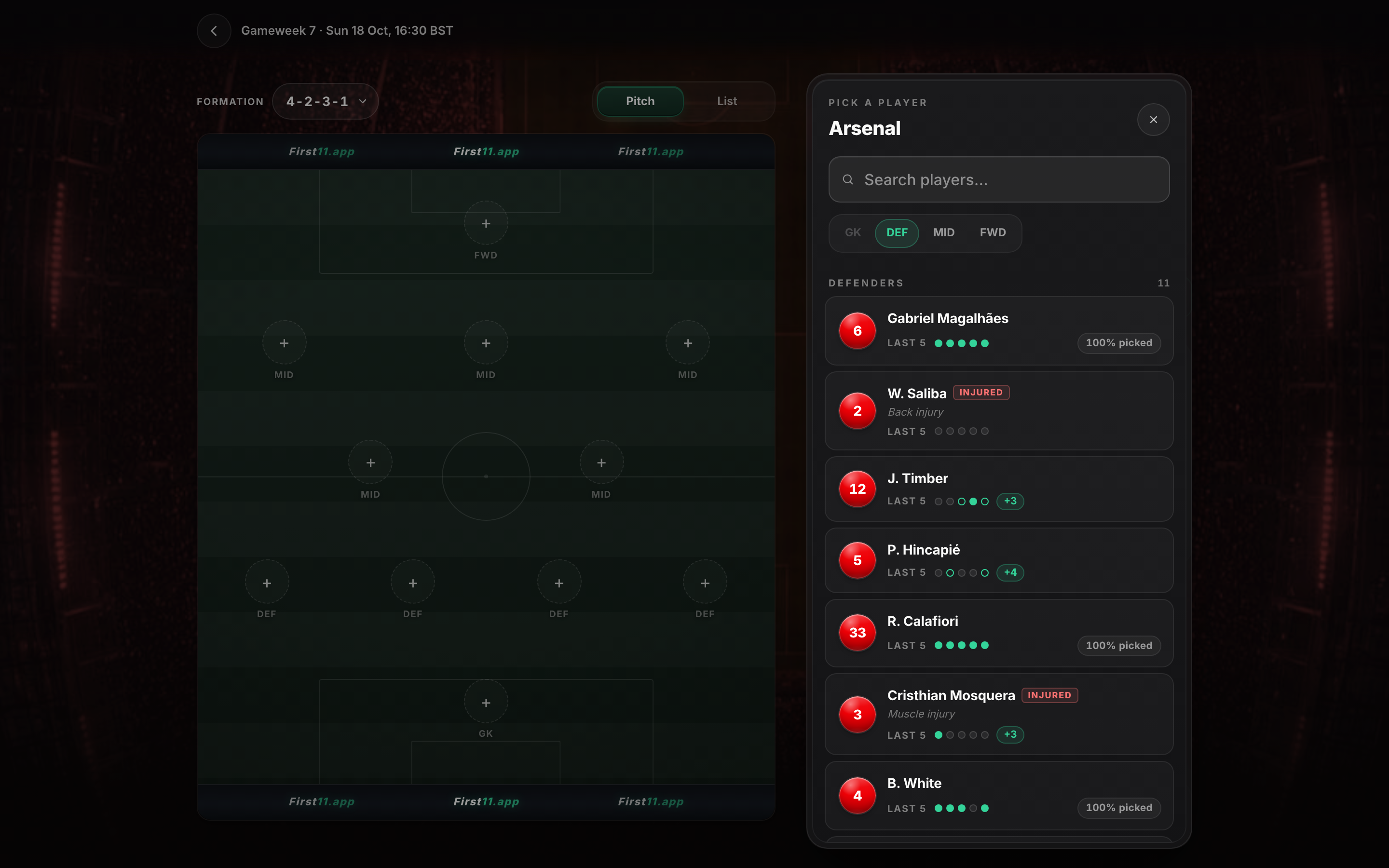
You build a formation on a pitch, one position at a time. Choosing a slot opens the squad for that position, and every player carries what you need to make the call: his starts in the team’s last five games, an injury flag with the reason, the bonus he is worth if he is a gamble, and how much of the crowd has picked him.
On a phone the squad opens as a sheet over the pitch. On desktop it docks to the right, so the pitch stays in view while you choose, and the captain and vice-captain sit in the same column once the eleven is complete.
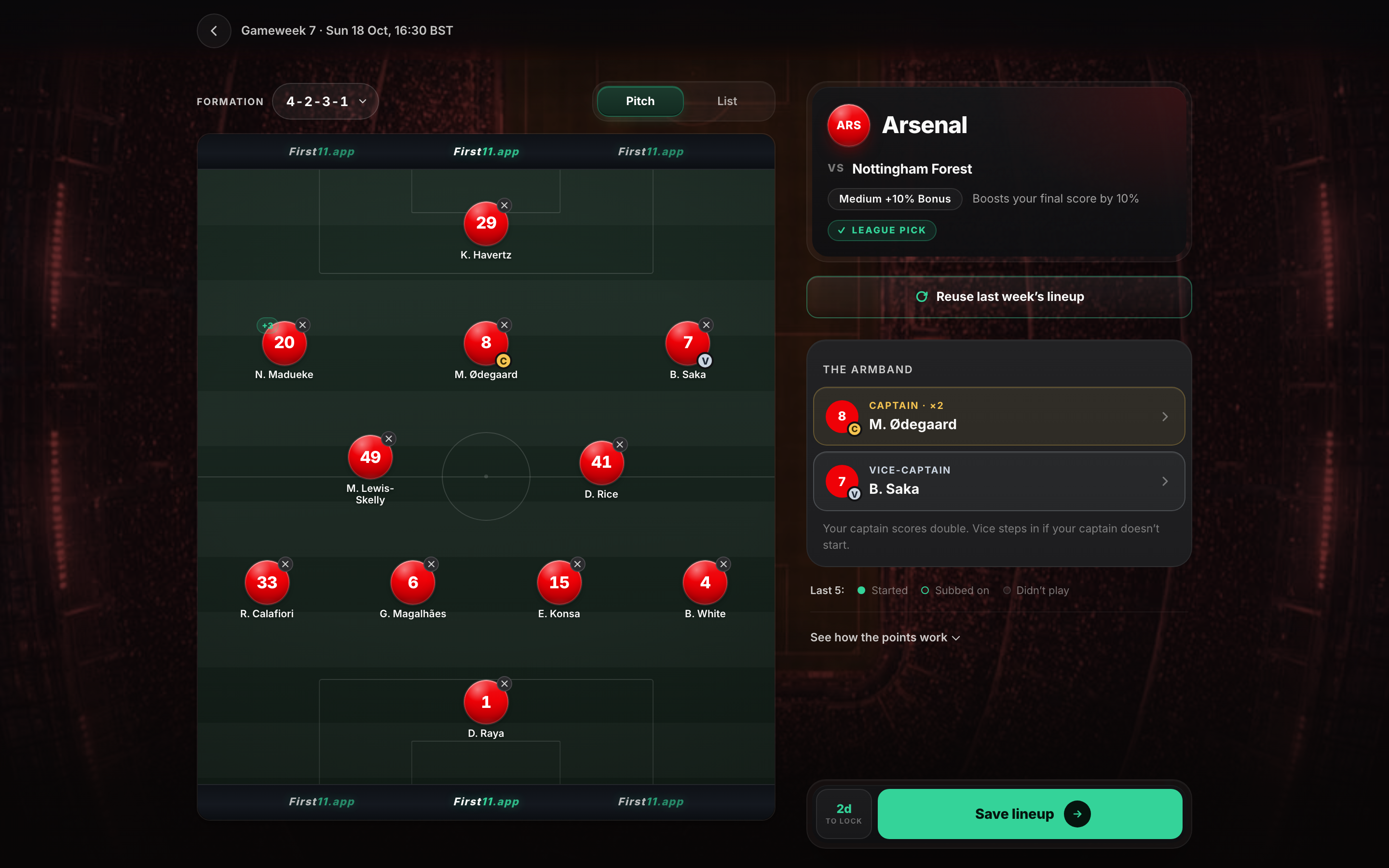
The button players rely on most is the plainest one on the screen: reuse last week’s lineup. Most clubs change only two or three players between matches, so most weeks start from the eleven you already had.
Leagues, rivalries and the crowd
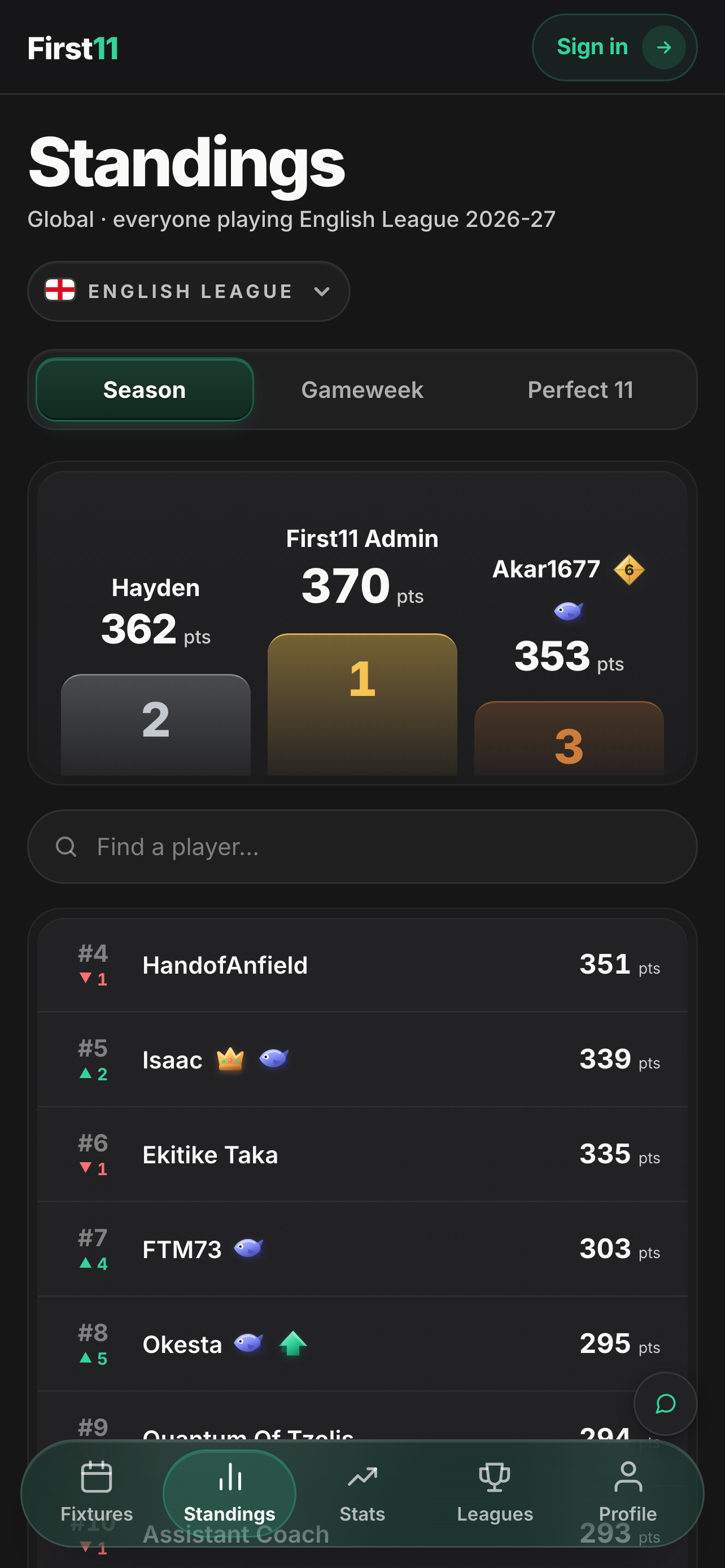
A prediction is only fun if someone else sees it. The social layer has three parts, and each one gives a different reason to come back:
- Leagues — join with a code and climb the table over a season
- Rivalries — play a friend, or a group ranked like a mini-league, one gameweek at a time
- The crowd — see how everyone else read the same team
One rule holds it together. Nobody sees another player’s eleven before kickoff, and that is enforced in the database, not just hidden in the interface. Until then you can see how many people picked a team, but never who picked whom. Nobody can copy their way to a win, and every reveal lands at the same moment for everyone.
Defining the notifications and emails
A gameweek has beats, and my job was to decide which ones deserve to reach a phone. Each beat gets one message: the gameweek opens, your team is about to lock, the teamsheet arrives and you find out how many you called, the points land, a rivalry ends, or a player in your saved eleven is ruled out before you can react.
- Gameweek opens
Six leagues are open. Pick your first eleven.
Email + Push - 3 hours to lock
Last chance — English League locks at 19:00.
Push - A player is ruled out
Saliba is out of your saved eleven.
Push - Teamsheet lands
Inter: 9 of 11 — see the breakdown.
Push - Full-time
Your points are in.
Email + Push - Rivalry settles
You beat @rival — 123–115.
Push
Four rules hold the system together:
- Every message carries a fact you don’t already have — a number, a name, a deadline. Never a nudge for its own sake.
- One message per beat, so three teams finishing in the same hour arrive as one notification.
- Every message names the competition, because most people play in more than one.
- Quiet hours hold anything that isn’t a deadline from 23:00 until 09:00, in your own timezone. Only a real lock time is allowed to wake you.
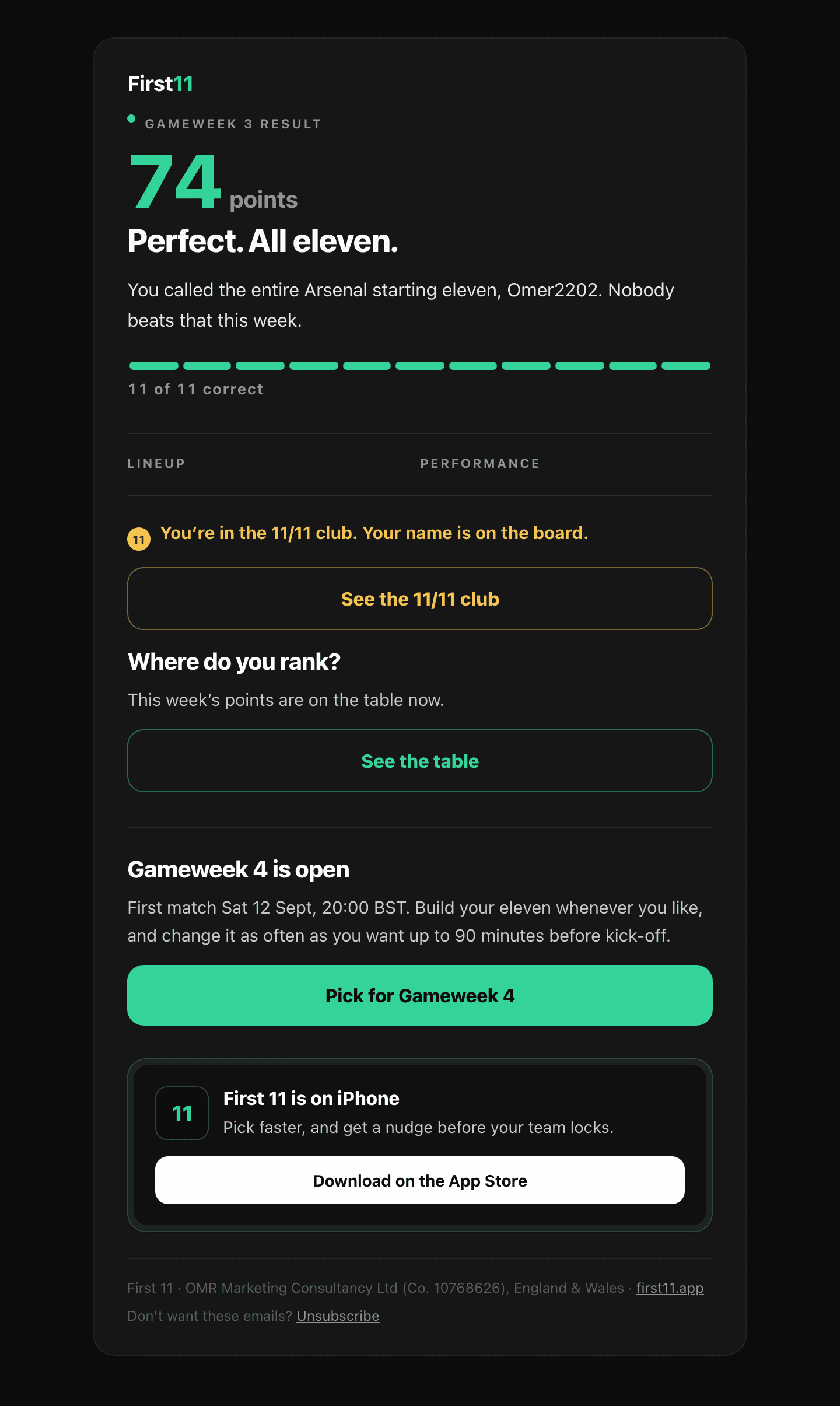
The result email.
A perfect eleven — the rarest thing the game can tell you, and the one message worth interrupting someone for.
Listening after launch
Shipping was the start of the design work, not the end of it. Three changes came straight from watching people play:
- Save, not lock in. The main button said “Lock in lineup”. Players read it as final and did not realise they could still change their eleven until ninety minutes before kickoff. It now says “Save lineup”, and “lock” is kept for the moment edits actually close.
- Badges you can read. The badge explainer dimmed every row except the one you tapped, which made most of it hard to read. Every row now stays legible, the tapped badge is highlighted instead, and the text is a size larger.
- A podium you can tell apart. First and third place were too close in colour. First is now a clear gold, and the top three show the team and captain behind their points.
Results
Live, played every week, and still growing.
Live on the App Store since August 2026 — English and Turkish, six European leagues. It has 300+ active users and is growing every week; the biggest league board has passed 200 players, and the Android app is in review on Google Play.
What I learned
Design a system, not screens
The fastest thing I did was refuse to build anything twice. Colour, type and spacing live as tokens. Team marks, difficulty tags, pills, buttons and the fixture card are components with states, not one-off layouts. New screens got assembled from parts that already existed, so they were consistent by default and quick to build — and when the iOS app came, it read from the same shared core as the web app instead of becoming a second product with its own drift.
The same tokens carry the accessibility rules: meaningful text never uses the lowest-contrast colour, controls have a 44-point touch target, and dialogs scroll rather than cut off on a small phone.
Game UX runs on emotion, and I had to learn it
Most of my work before this was e-commerce, where success is a task completed. A game is judged on whether someone comes back next week. So I had to learn a different set of dynamics: the wait while a deadline runs down, the reveal when the real teamsheet lands, the near-miss that makes you want the next gameweek straight away, a standing you feel protective of, a rival who has already picked. That made retention part of the design instead of something added at the end.
Getting into the stores is design work, not paperwork
I took First 11 through App Store review and Google Play submission myself: listings, screenshots that have to match what the build actually does, age ratings, content and data-safety declarations, privacy answers, release tracks and test groups. Every one of those is a design surface with its own rules, and they shape the product. I now plan for that pipeline from the start rather than meeting it at the end.
Distribution deserves the same craft as the product
Running the game’s ads on X meant writing for people who have never heard of it and have two seconds to care. It is the sharpest editing test I know, and it fed straight back into the product: the ad, the store listing and the first screen someone sees all have to say the same clear thing.
AI changed my unit of shipping from feature to product
With an AI partner writing the code, direction became the job — strategy, specs, rules, the points system, and the review gates that stop quality sliding. The judgment did not get cheaper. It got more leveraged.