Overview
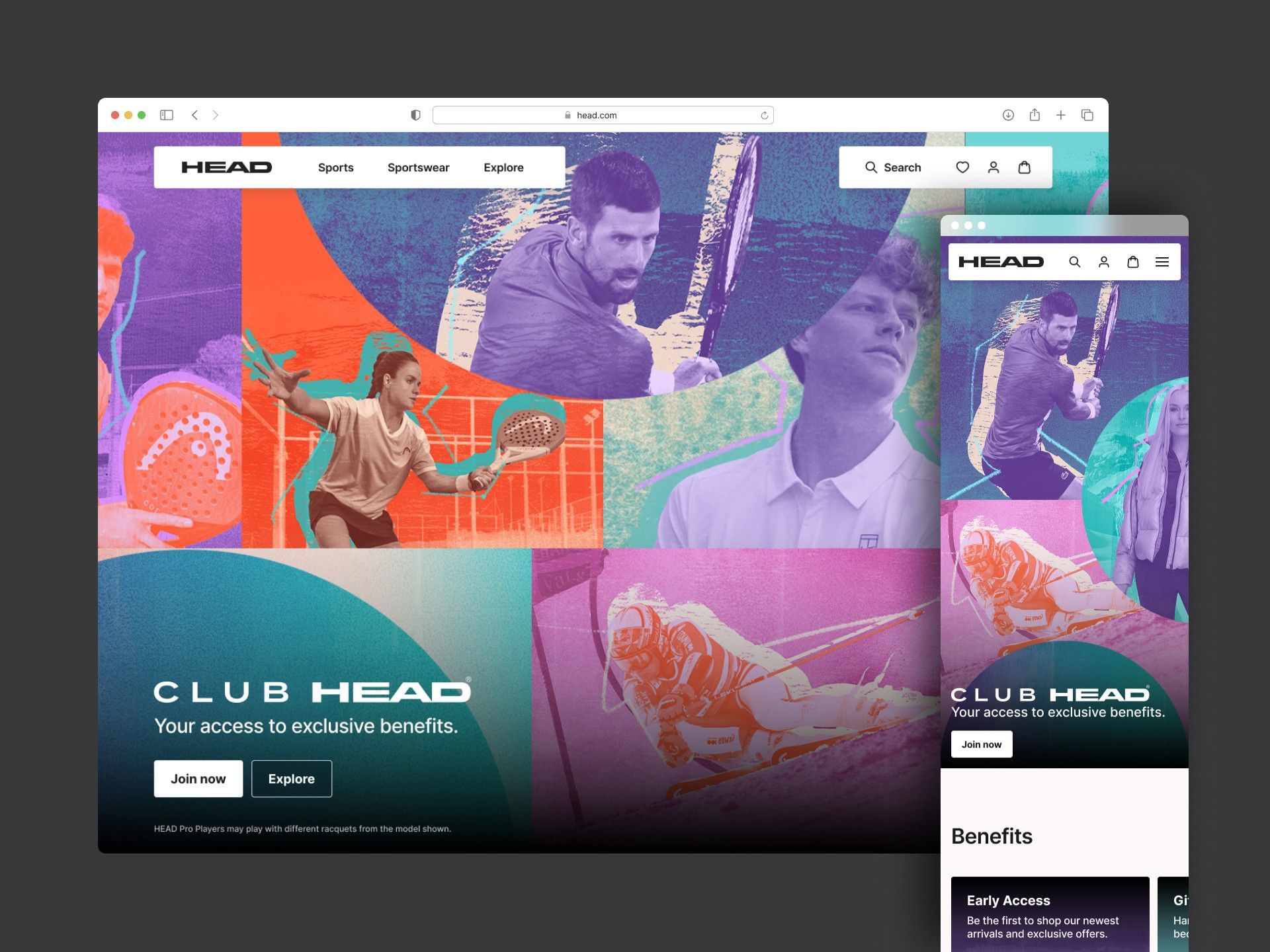
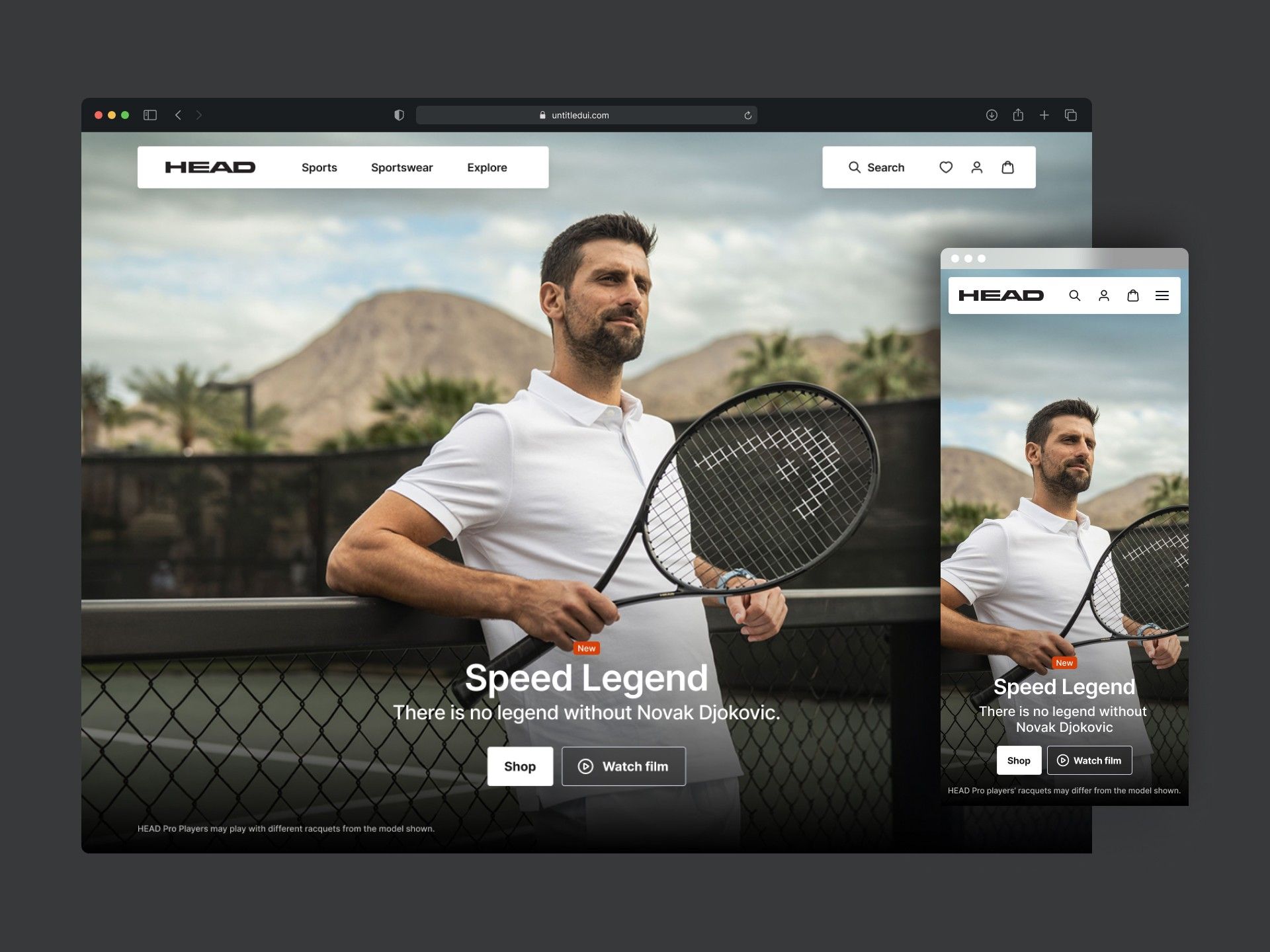
A complete redesign of the HEAD.com website to elevate its premium feel and improve the experience across all devices.
The brief was to create a premium, clean, storytelling website that helps people find the right products, reflects the brand’s positioning, and meets modern e-commerce expectations.
Team
- Me · Senior Product Designer
- Product Designer
- Digital Designer
- Copywriter
- IT Manager
- External development agency
Problem
A solid store that no longer looked — or explained — premium.
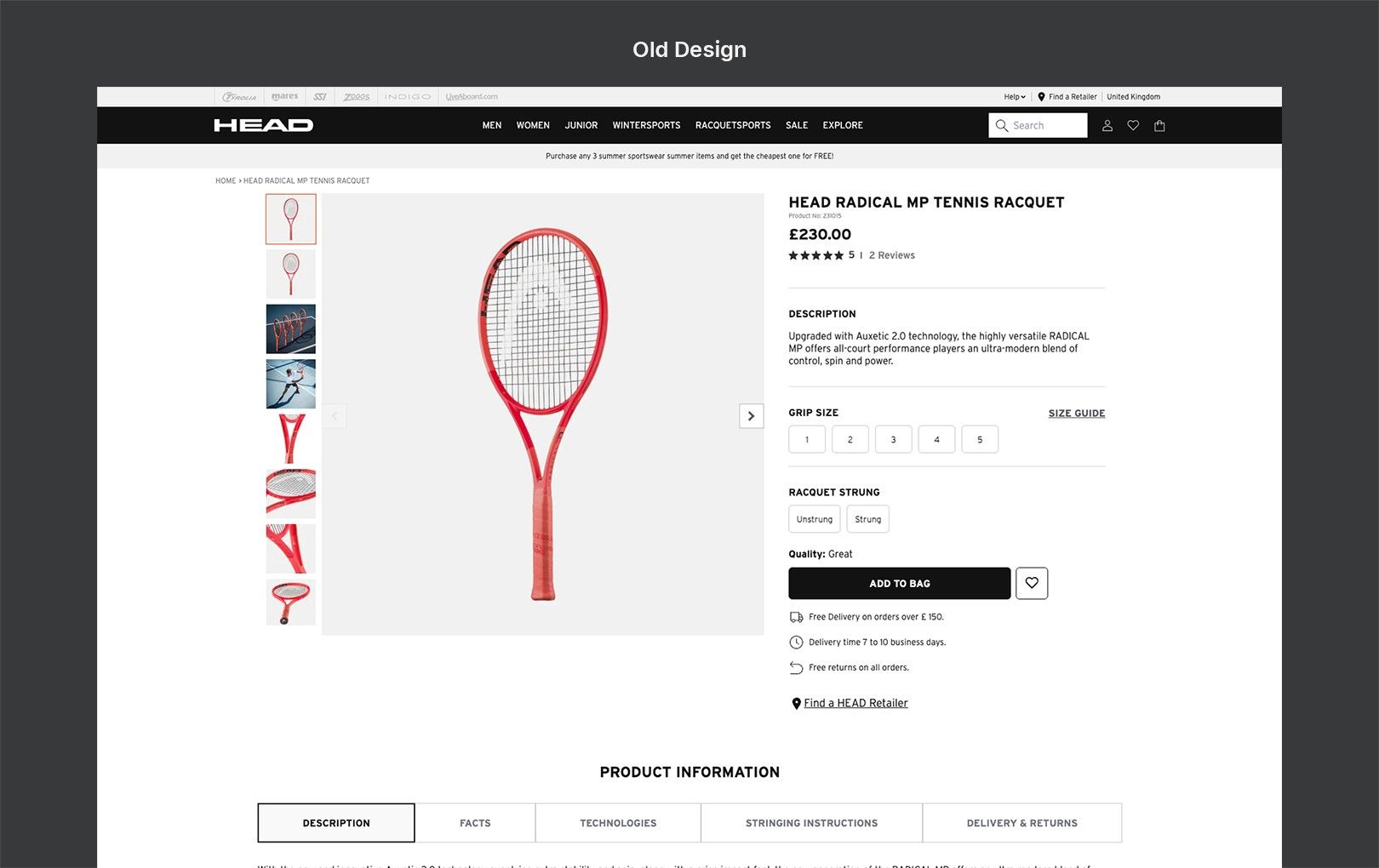
HEAD’s 2020 redesign laid the groundwork for a solid e-commerce experience. By 2024 the interface was showing its age: what once felt modern now looked dated, and it no longer reflected the brand’s evolving premium image.
The issues were most visible on product pages. The technical specs were accurate, but terms like beam, balance, head size or string pattern had no context. Advanced players could navigate them; beginners felt lost. The experience didn’t support the brand’s goal of being both elite and approachable.
Our challenge: capture the premium feeling of the brand while making product information accessible enough to choose with confidence.
Process
Seven moves, from a survey to a faster checkout.
Gathering insights
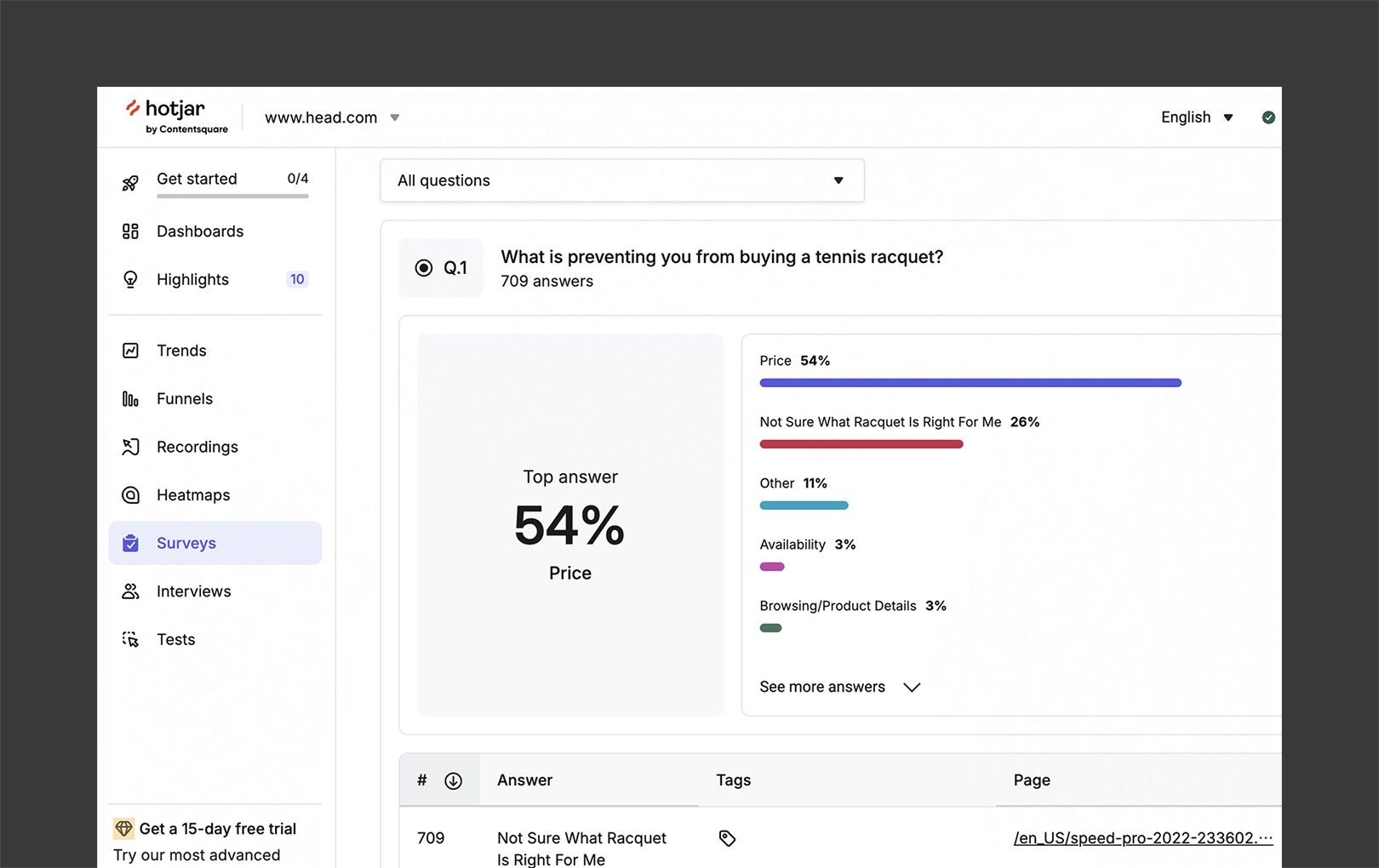
At the start of the redesign I launched an on-site survey to understand why visitors weren’t converting. One answer stood out.
of visitors said they didn’t know which racquet was right for them — the second most common reason not to buy, right after price.
Analytics agreed: high exit rates on technical product pages and low add-to-cart rates. The specs were there, but without context or guidance — especially for beginners.
- People lacked confidence choosing the right product
- Specs like “beam” or “string pattern” were unclear without explanation
- Dense, technical language overwhelmed entry-level shoppers
- The experience needed to guide without overwhelming
That set a clear direction: a more intuitive, educational, confidence-building shopping journey — with spec definitions that explain outcomes and benefits, while staying true to the premium HEAD brand.
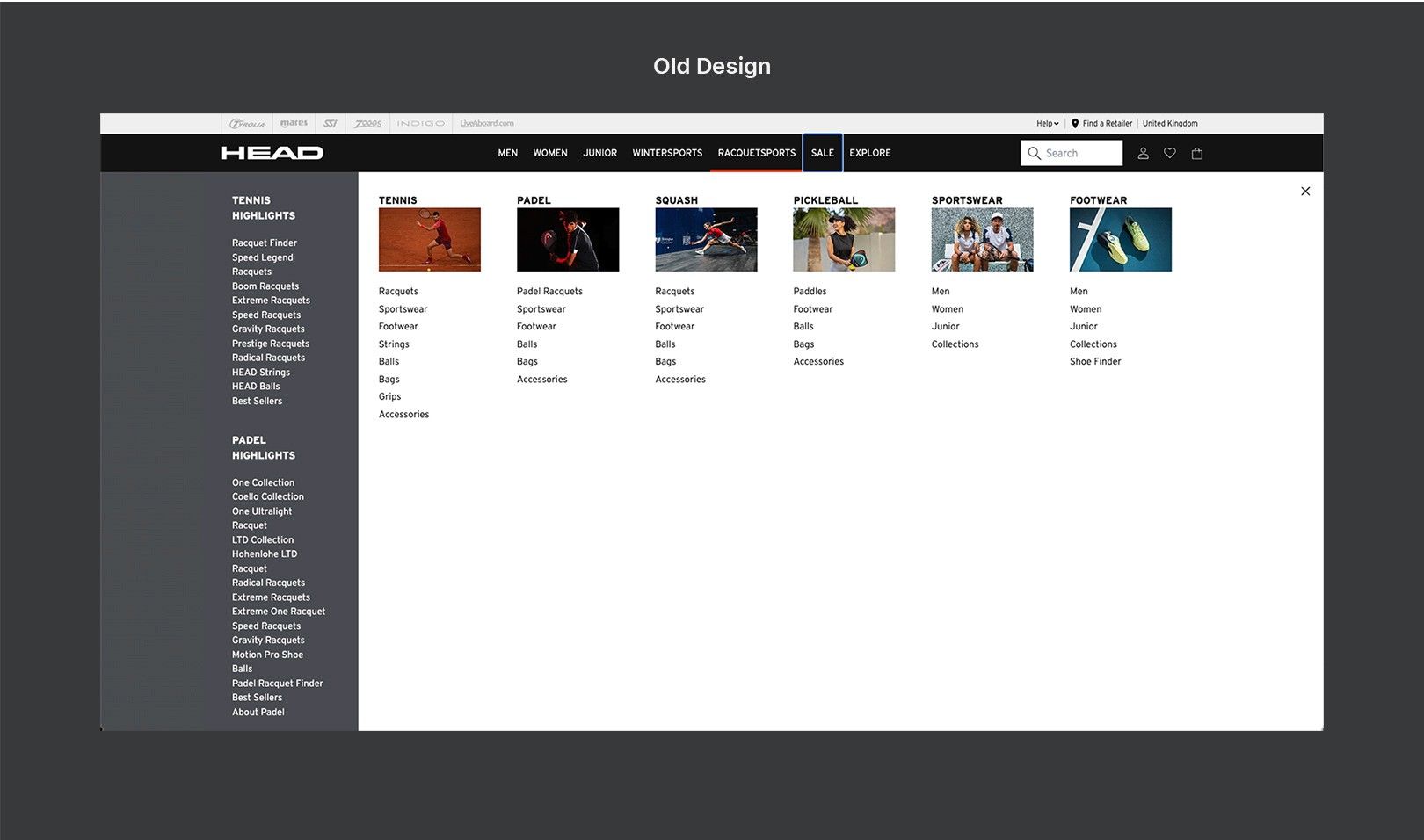
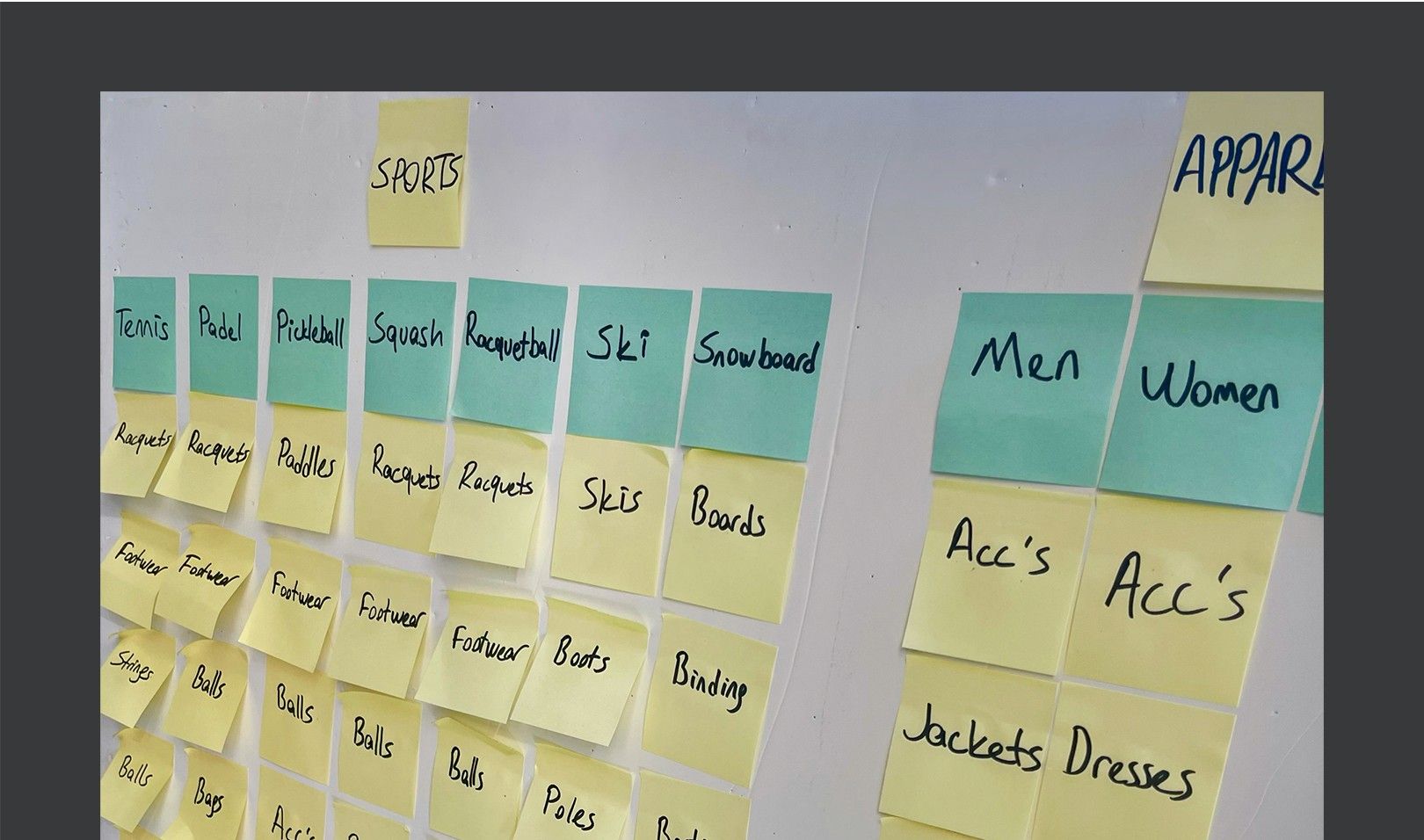
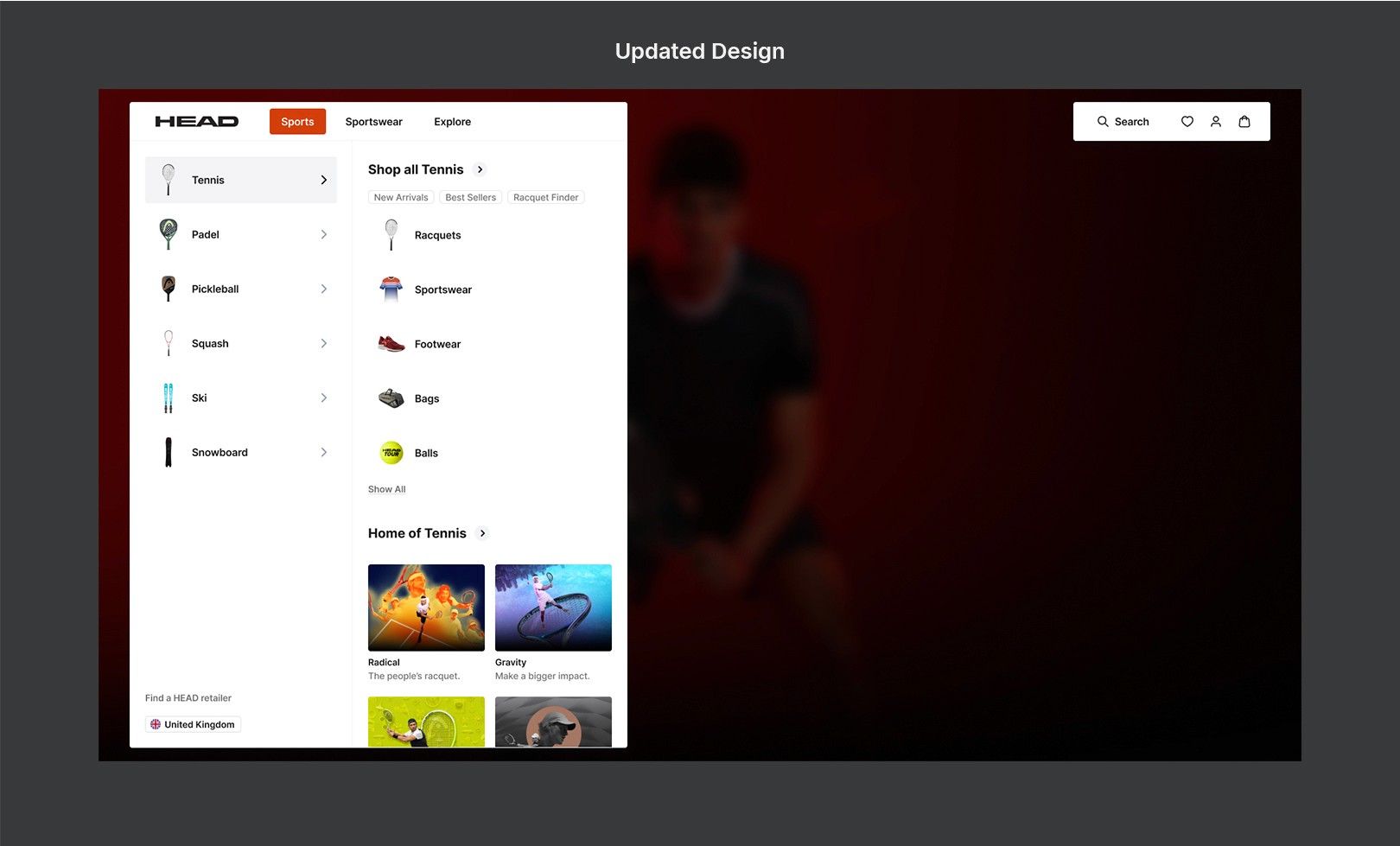
Navigation and information architecture
We revisited the menu structure and navigation patterns:
- Simplified the information architecture to reduce decision fatigue
- Used research and analytics to understand high-traffic paths
- Introduced visual category cards and thumbnails for faster scanning
People found what they needed faster, whether they were exploring or shopping with a goal.
Content simplification
Clear specs, confident choices.
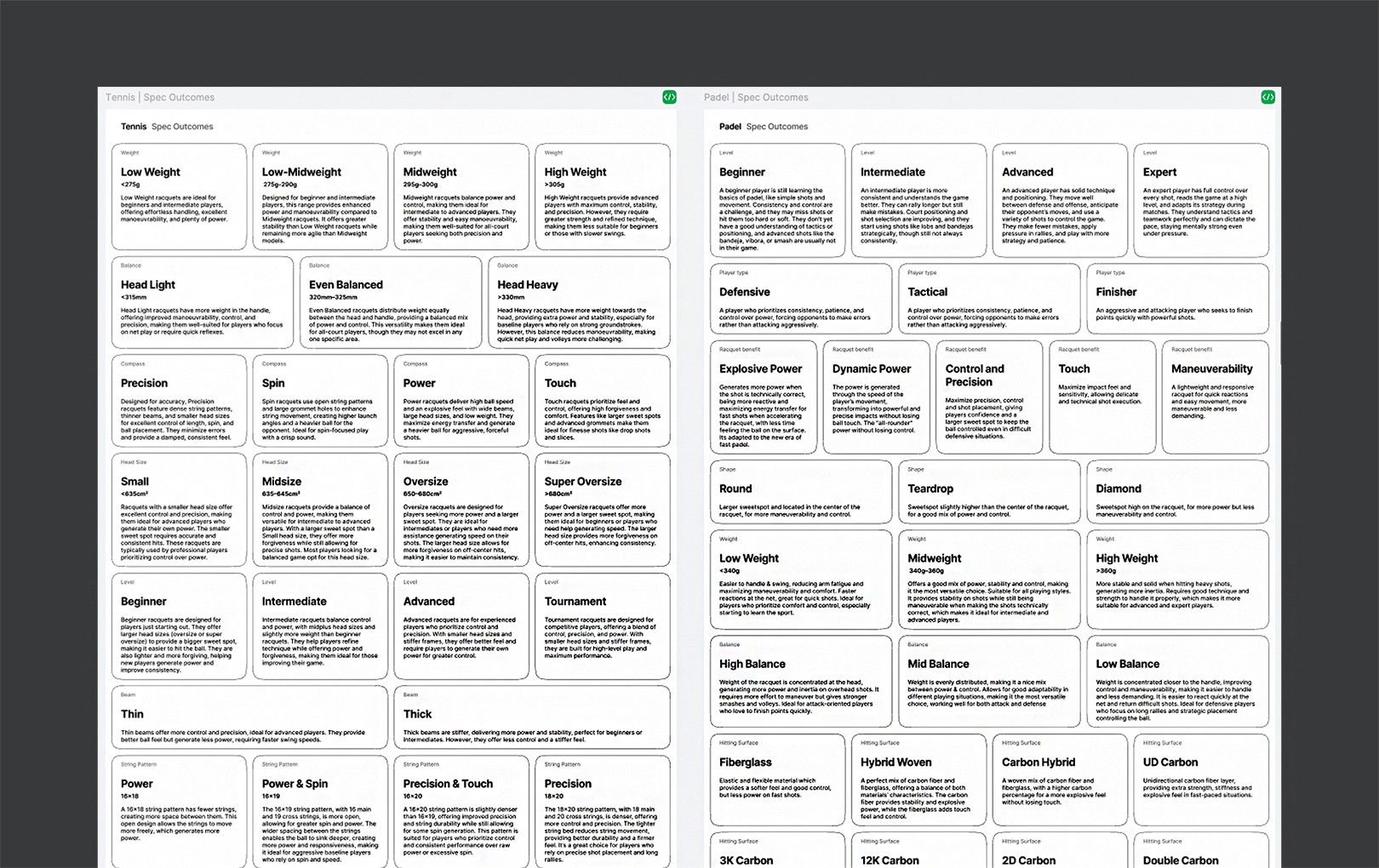
With our copywriter and product experts, we translated complex technical specifications into plain language. Each feature now communicates both the spec (“300g weight”) and what it means for you (“Lightweight — ideal for fast, controlled swings”), which makes the decision far more intuitive for beginners.
Bento grids became a shared specification library — an internal alignment tool for design and product teams that paired every technical feature with its user benefit, consistently across all categories.
Wireframes and prototypes
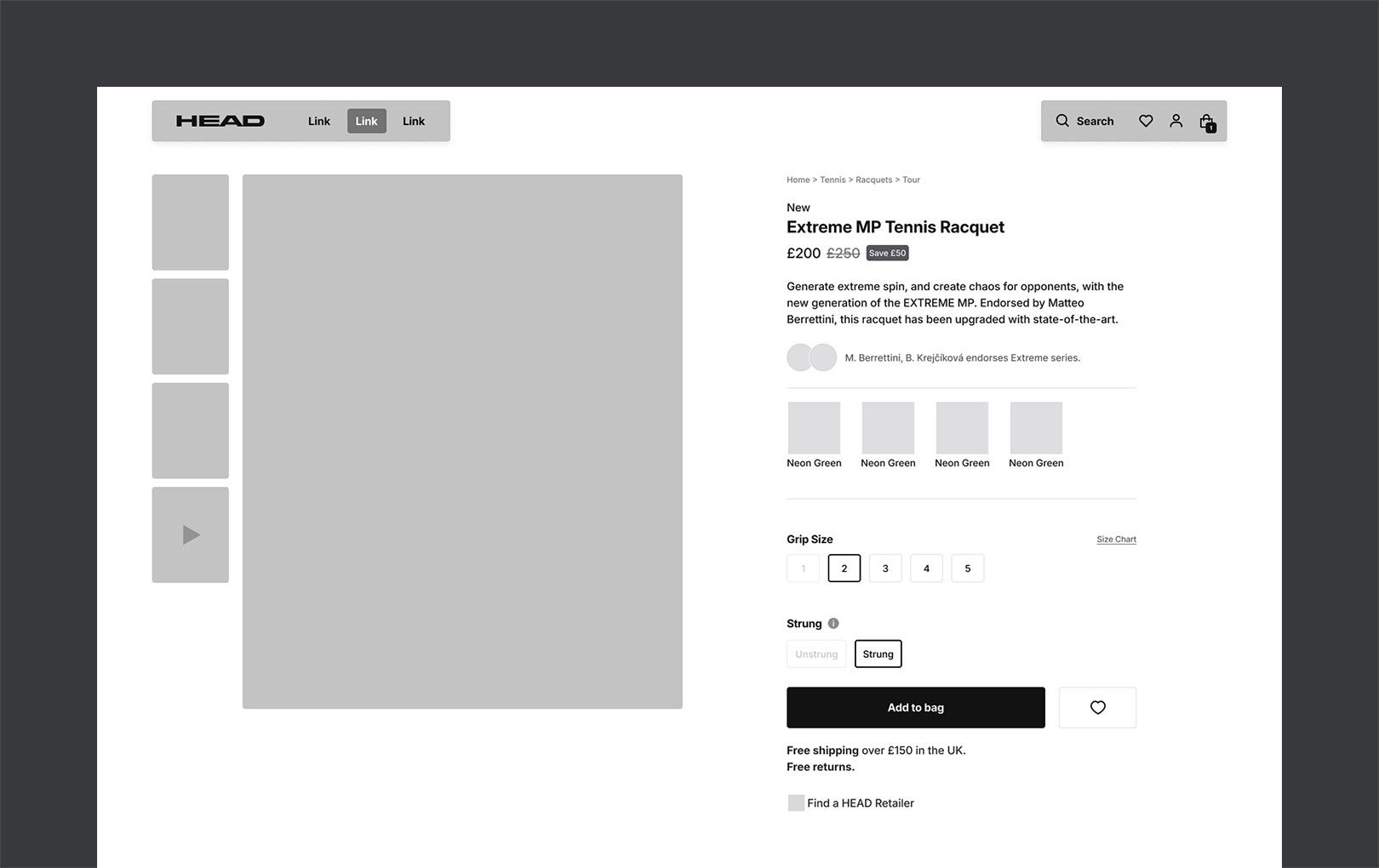
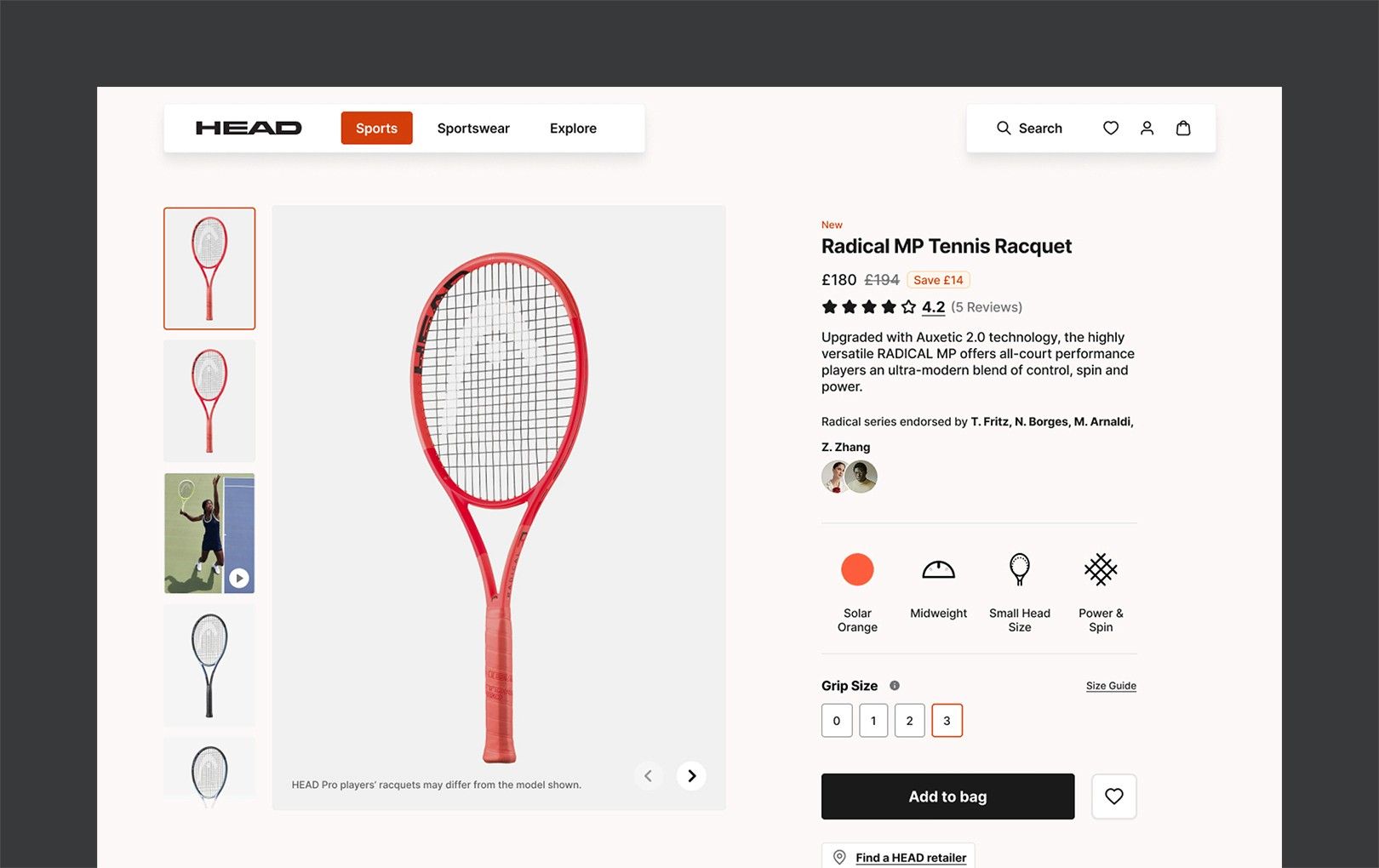
Low-fidelity wireframes fixed the layout structure and content hierarchy first, without the distraction of visuals. Once the structure was validated, high-fidelity prototypes brought in visual design, brand identity and interaction.
- Placed the specification content on clear attention paths
- Iterated with stakeholders against business and user needs
- Fully responsive layouts for desktop, tablet and mobile
Design system and team enablement
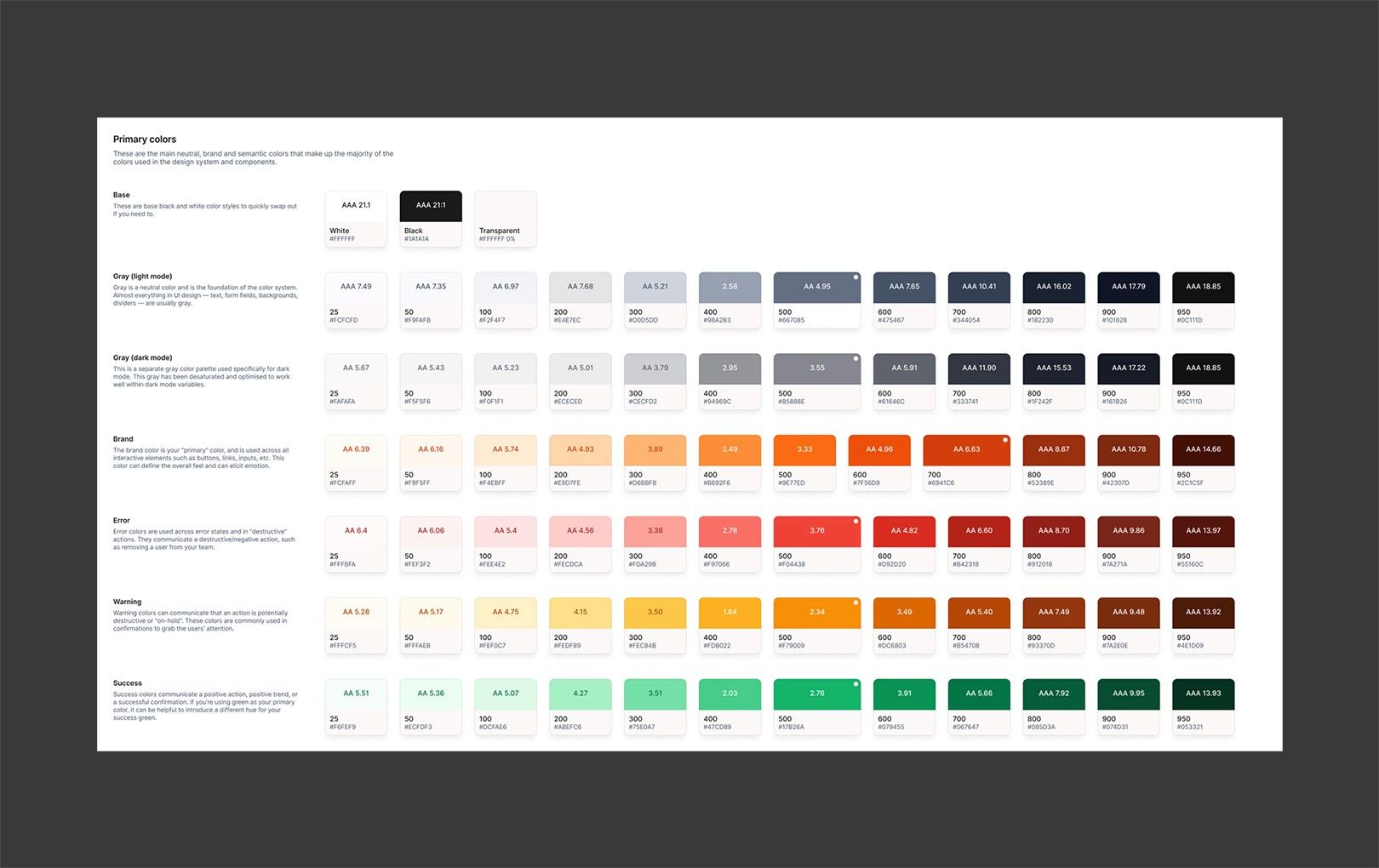
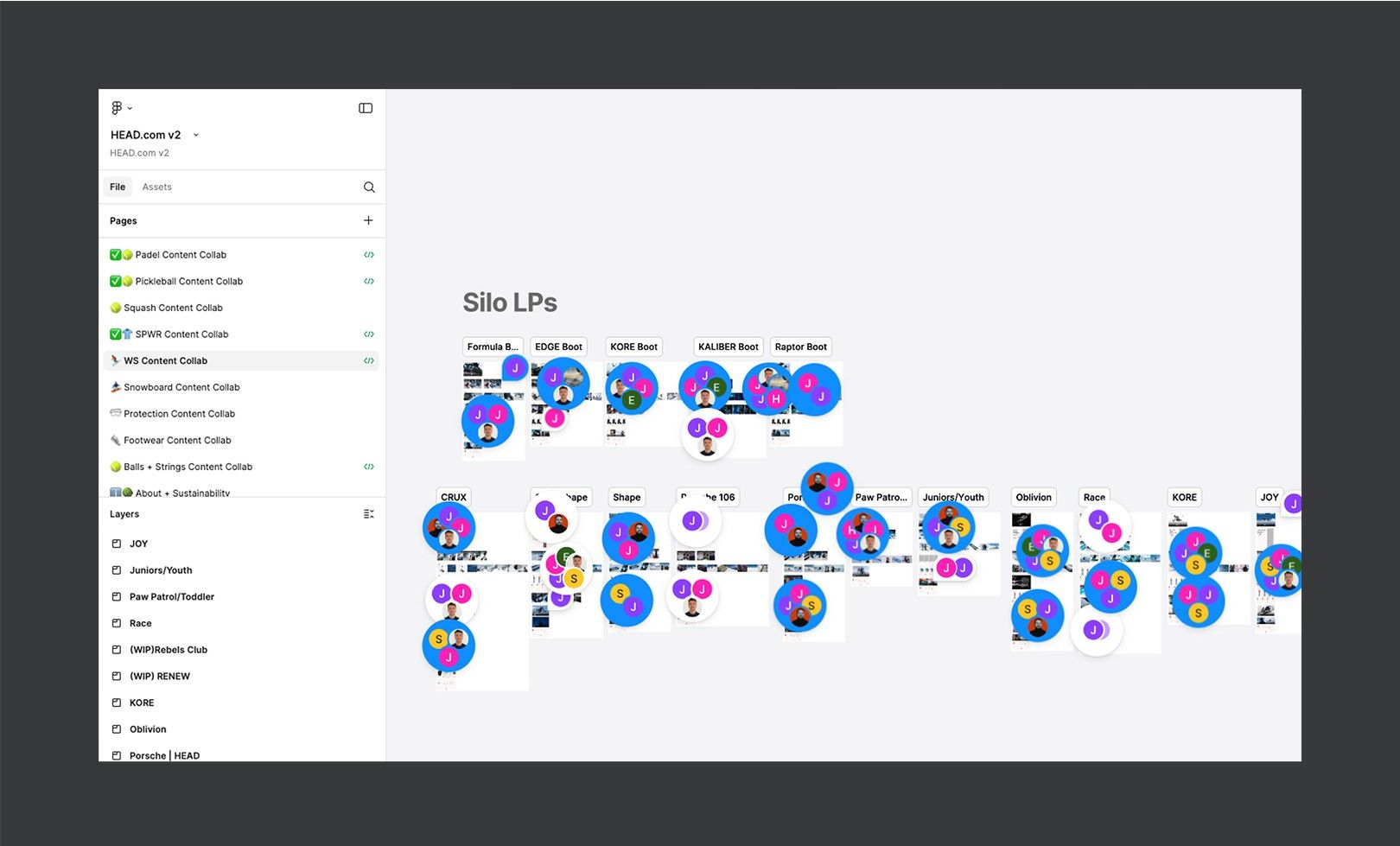
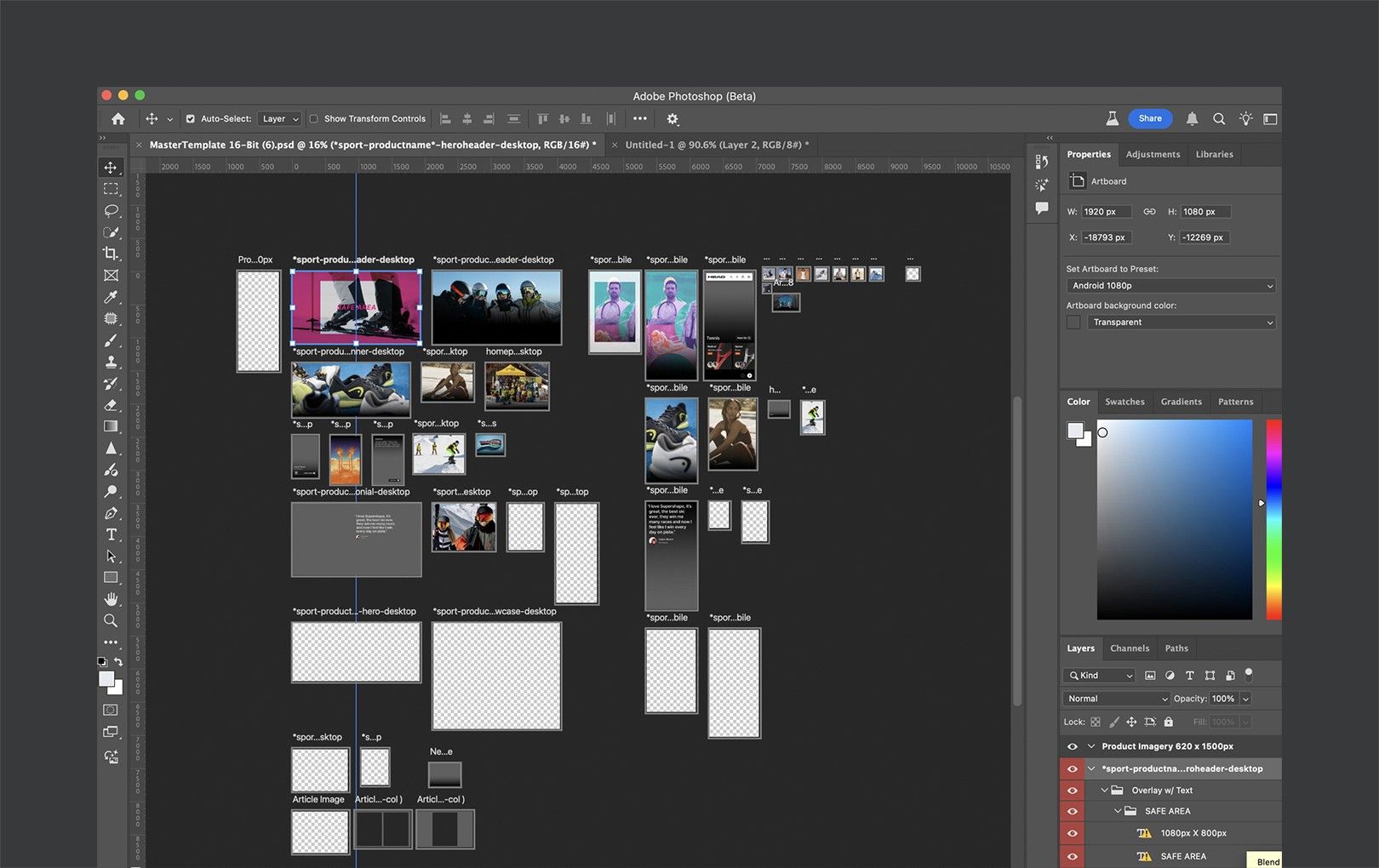
To keep pages consistent and collaboration fast, we built a comprehensive design system in Figma — colours, components, layout rules and usage guidelines — plus a Photoshop template so designers could apply the new content dimensions and components without guesswork.
- Templates for hero images, feature cards and highlight sections
- Clear specs for spacing, imagery and iconography
- One source of truth for internal and external teams
Visual redesign with purpose
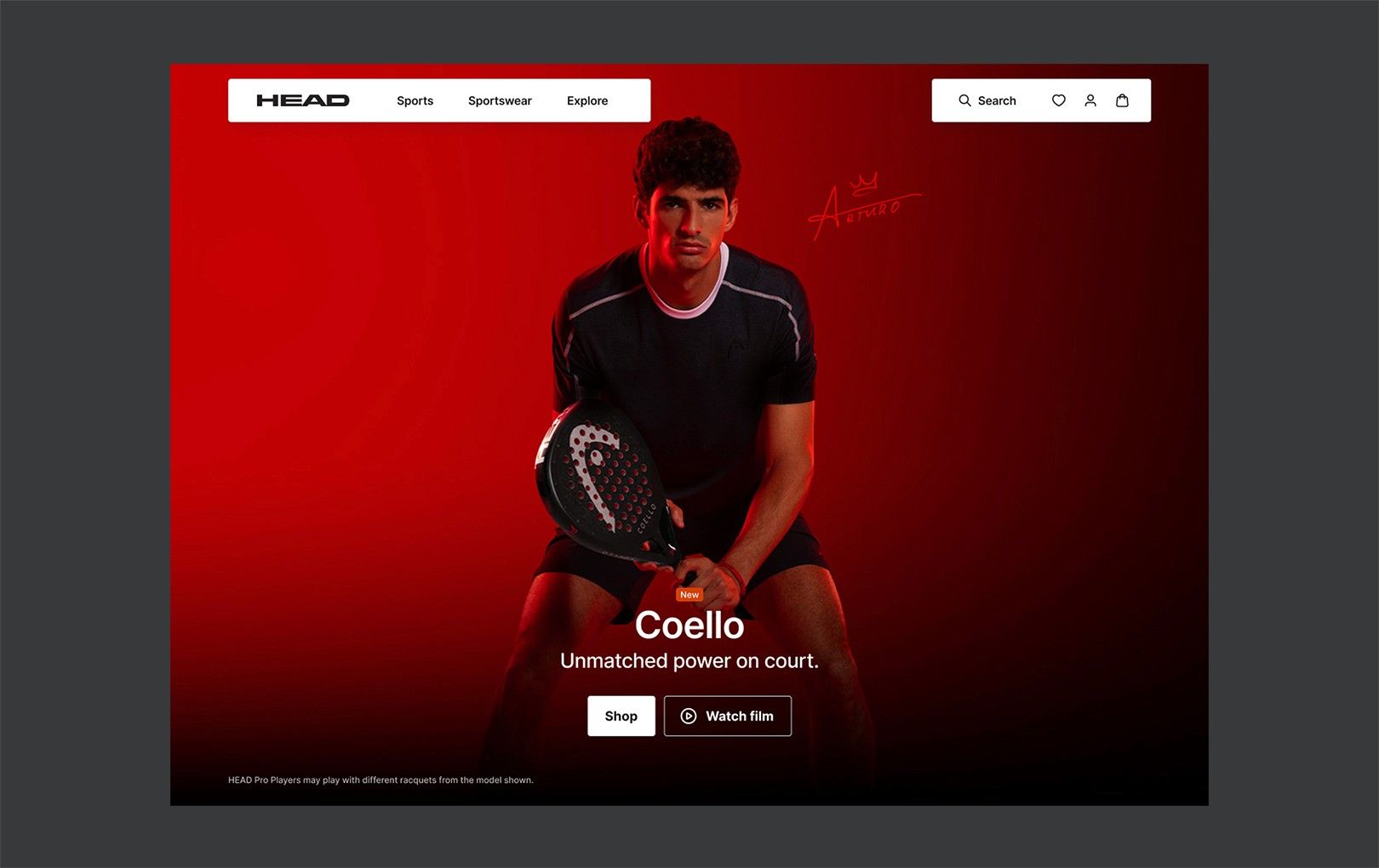
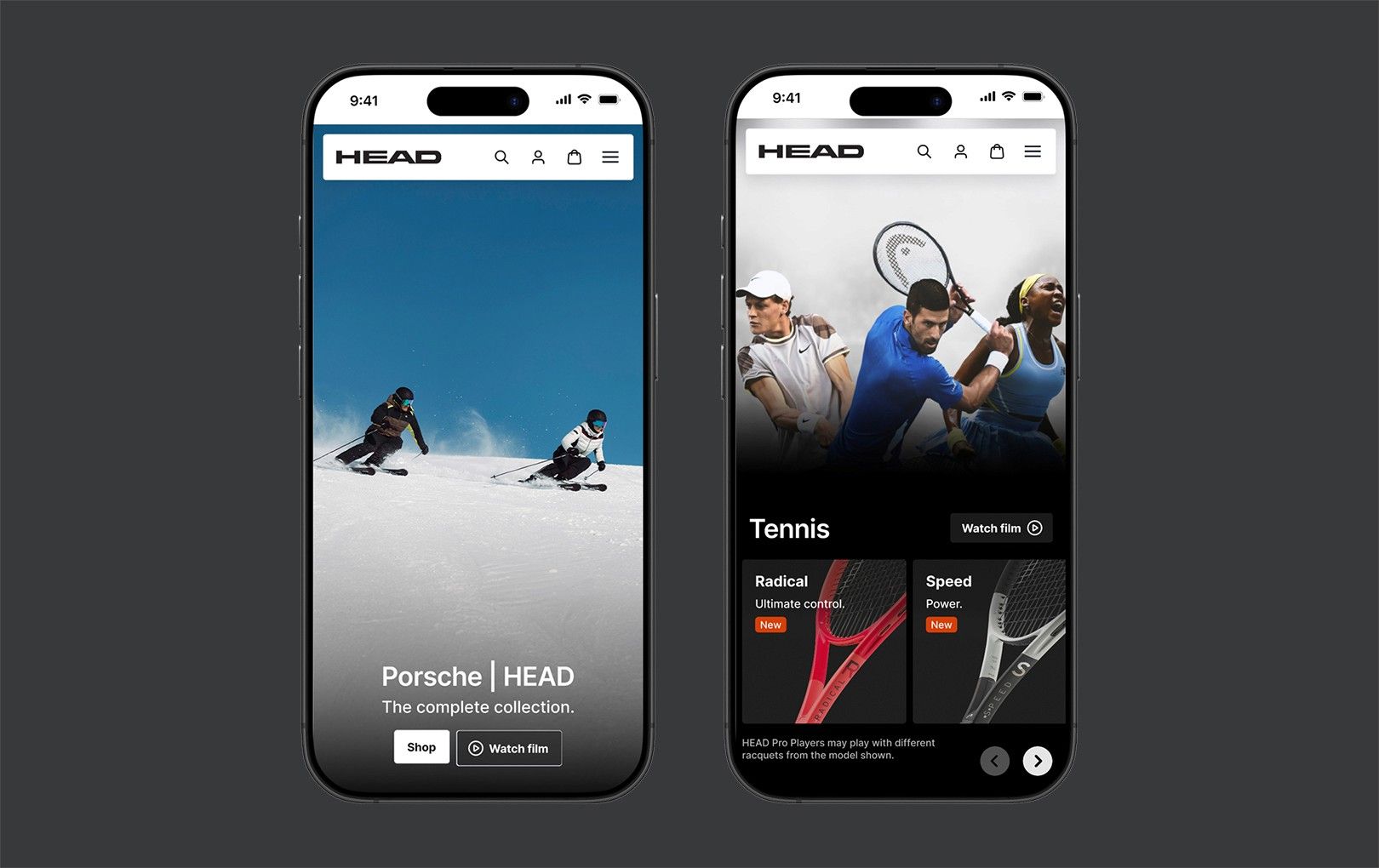
The updated UI needed to feel premium and editorial:
- Full-bleed lifestyle heroes with a single clear message
- A more modern typeface (Inter) replacing Interstate
- Whitespace, hierarchy and simplicity for a calmer, more premium feel
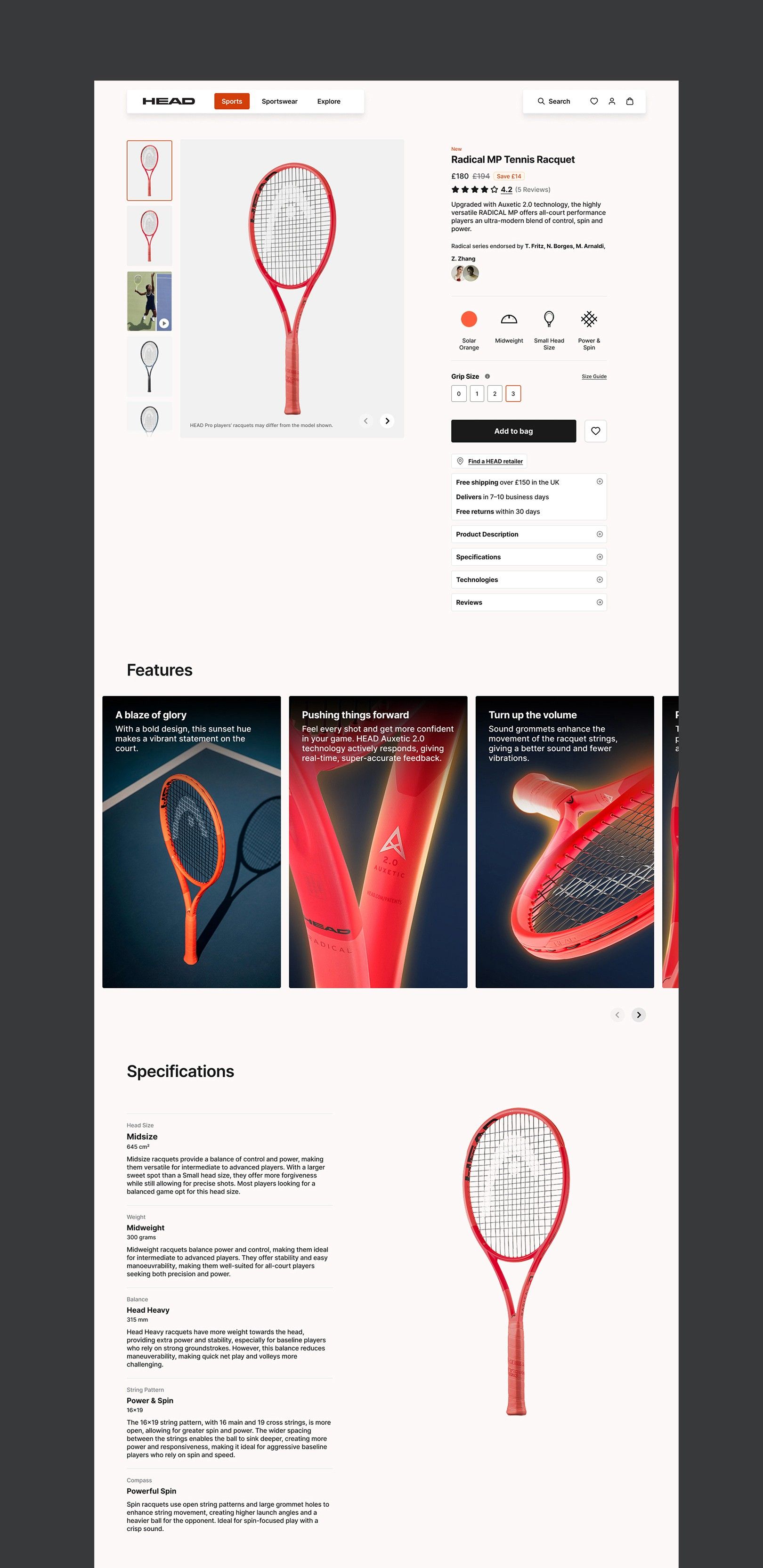
The product page, rebuilt for faster decisions.
- Quick facts icons — weight, head size and balance at a glance, so people can scan and compare
- Feature cards — outcomes like “Fast swings” or “Power boost” for less technical players
- Specifications — in beginner-friendly language: what each spec means and why it matters
- Hierarchy — refined spacing, type and a more visible call to action
Checkout improvements
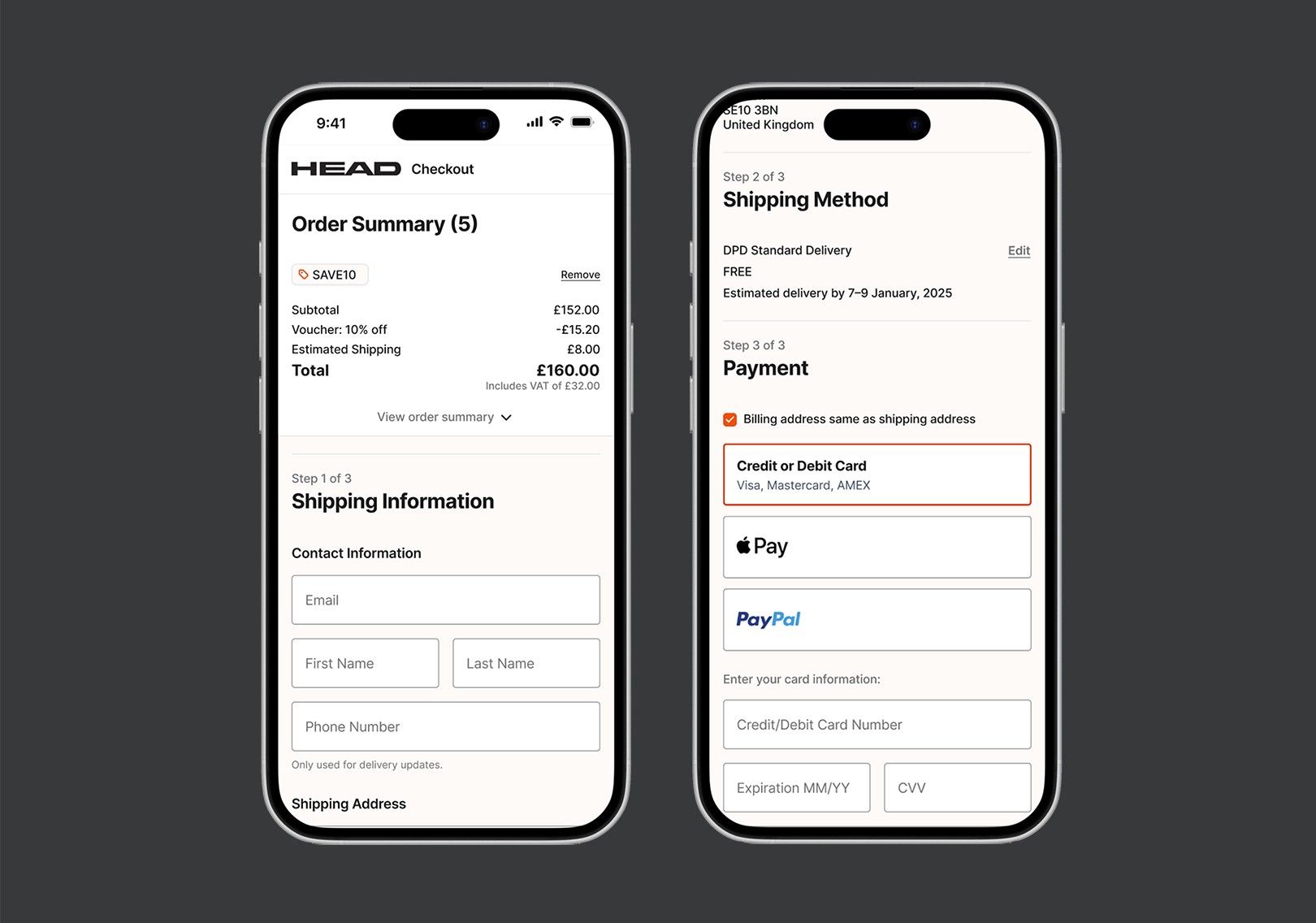
The checkout was redesigned to feel cleaner, faster and less overwhelming at the most critical point of the journey.
- Distraction-free UI that keeps focus on completing the order
- Order summary fixed to the right on desktop, at the top on mobile
- Fewer fields — optional and unnecessary data requests removed
- Three clear steps — Address → Shipping → Payment — with clear headings and grouping